
You can only have one account at SuperGra.
If you have lost access to your account, please, contact us via online chat or use an alternative method of contacting our support team by email [email protected] or phone numbers 093 772 32 77, 099 772 32 77, 097 772 32 77 and 0800 300 583 (calls are free from any phone number in Ukraine).
Do not create accounts that duplicate your main account. If, for some reason, this happened, block the duplicated client's account before making a withdrawal request.
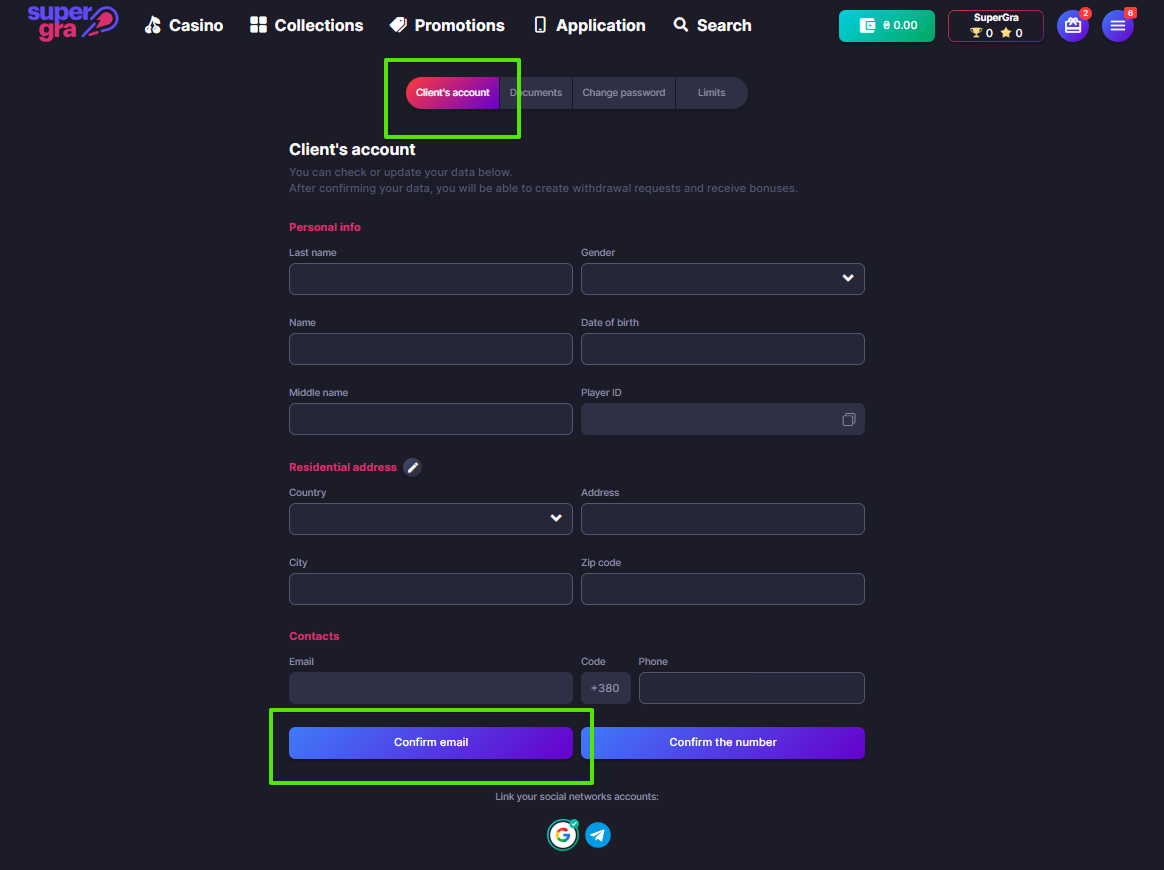
1. Log into your client's account.
2. Press the "Confirm email" button.
3. Open the letter in your email and press the "Go to the site" button.
If you do not find the email in your "Inbox" folder — check your "Spam" folder.
If you have any questions during the confirmation process, send a message to the online chat.
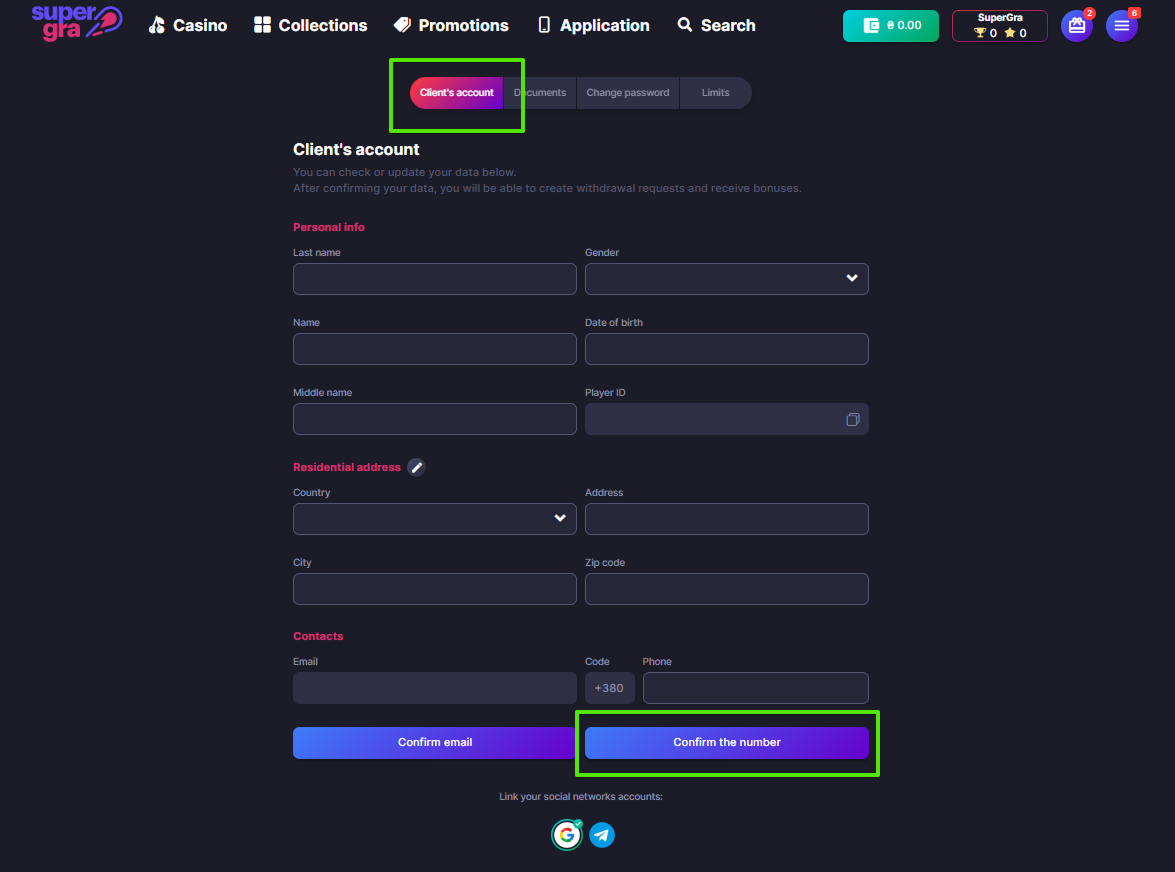
1. Log into your client's account..
2. Press the "Confirm the number" button.
3. Enter the code from the SMS and press the "Confirm" button.
If during registration you've mentioned the wrong number, change it to an actual one and click on the "Save" button, and then click on the "Confirm the number" button.
If something went wrong, click on the "Resend SMS" button.
If you have any questions during the confirmation process, write to the online chat.
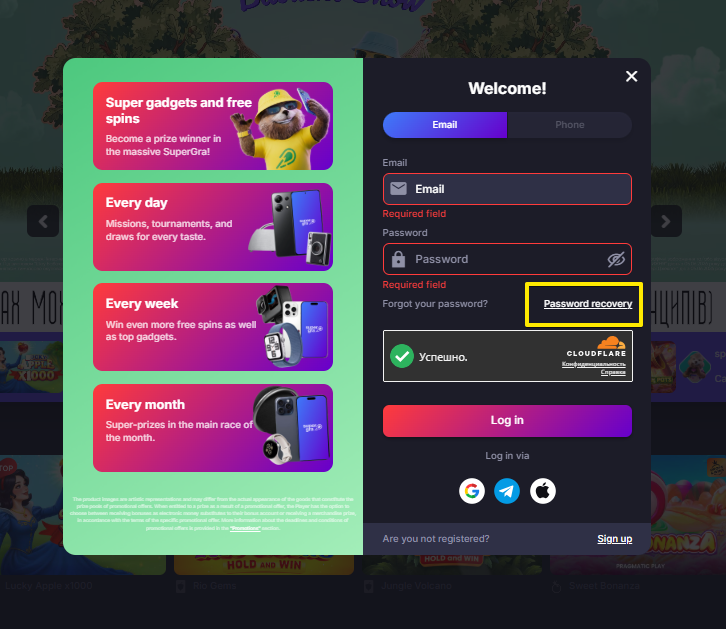
1. Press the "Password recovery" button when you log into your account.
2. Choose a password recovery method.
Method 1. Enter the email you used to register. You will receive an email with a password reset link. If the email did not arrive in the "Inbox" folder, wait a while and check your "Spam" folder. If needed, you can request the email again or use another recovery method.
Method 2. Enter the phone number you used to register. You will receive a code via SMS. Enter the code in the required field and create a new password. If the code does not appear, you can request it again after the timer expires.
To maintain the security of your client's account, you can change your phone number only via online chat.
To change your email address, follow a few simple steps:
1) Go to your client's account.
2) Click on the "pencil" icon next to the "Contacts" section.
3) Enter your new email address in the pop-up window that appears.
4) Enter the confirmation code sent to your phone number.
5) Confirm your new email address to complete the process.
You can also change your residential address by clicking on “Change the address”. To confirm, you need to upload a photo of one of the following: a utility receipt, a rental agreement, a passport registration page, a сertificate of residence, or a bank statement.
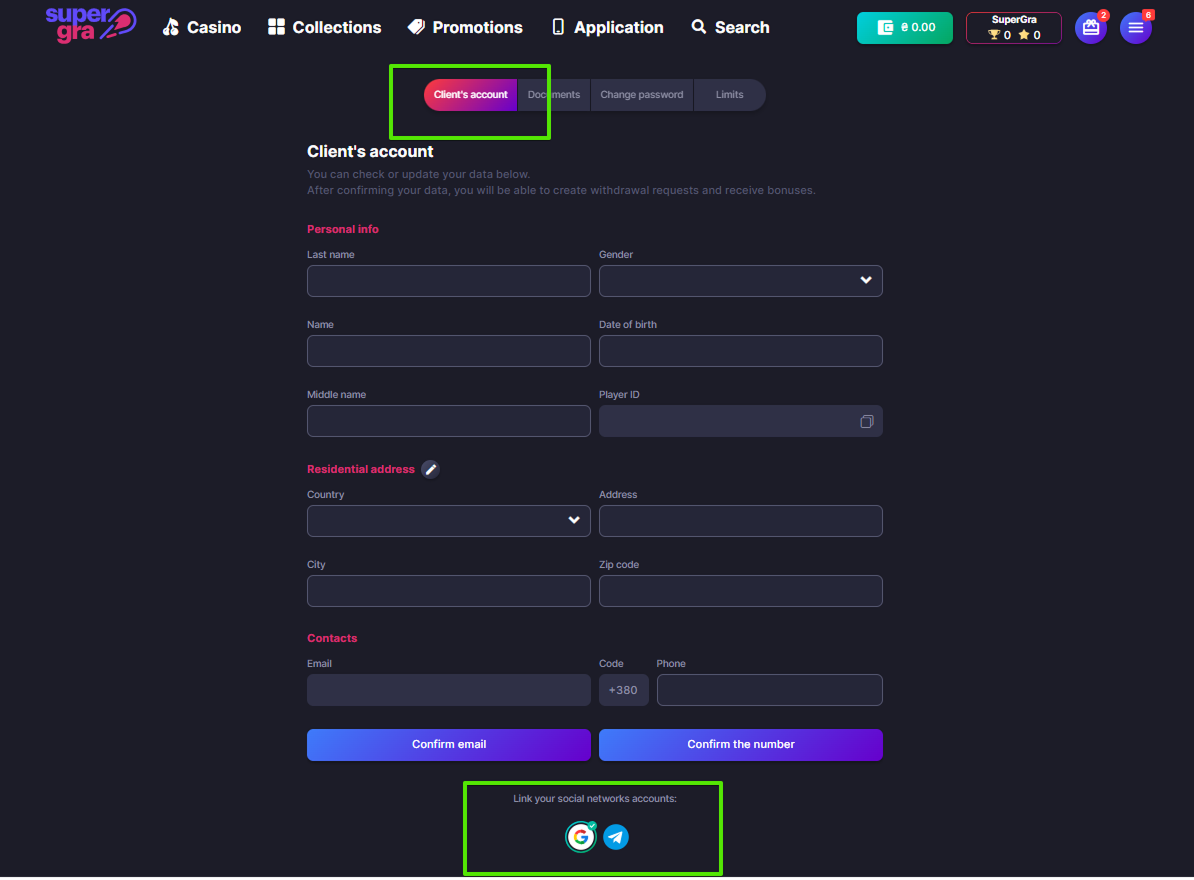
You can link your account to Apple ID, Google and Telegram for easy and quick login.
1. Go to your client's account.
2. At the bottom of the page, select a social network to link to.
3. Follow further instructions from the social network.
To unlink a social network, just click on its icon and confirm the unlink.
*You can get a bonus for linking Telegram (more details in the section "How to get a bonus for Telegram Bot?")
In accordance with the Order "On Establishing Player Spending and Participation Time Limits in Gambling", new game limits have been introduced.
Please specify your average monthly income, and the system will automatically calculate the limits:
• Per day — 15% of your average monthly income;
• Per week — 25% of your average monthly income;
• Per month — 40% of your average monthly income.
* The specified income amount can be changed no more than once every 30 days.
Additionally, the following limits on gambling participation time have been set:
• Per day — no more than 6 hours;
• Per week — no more than 21 hours;
• Per month — no more than 100 hours.
* The maximum duration of continuous play is 2 hours. After this, a 15-minute break is automatically activated, during which you can watch slot video reviews.
* To view and manage your limits, go to the "Limits" section in your client's account.
Verification is necessary to protect your funds and account, as well as to verify:
1. Your age (according to Ukrainian legislation you should be at least 21 years old).
2. Ownership of payment cards.
3. Absence of the duplicated client's account.
To verify your data, please go to the Documents section.
You can verify your identity in several ways:
1. Via the Diia app (from 2 minutes). This option is available only for holders of an ID card and international passport in the Diia app.
2. Through video verification. This option is suitable for holders of a passport book, ID card, or international passport.
Don't forget to also fill in your details in the client's account.
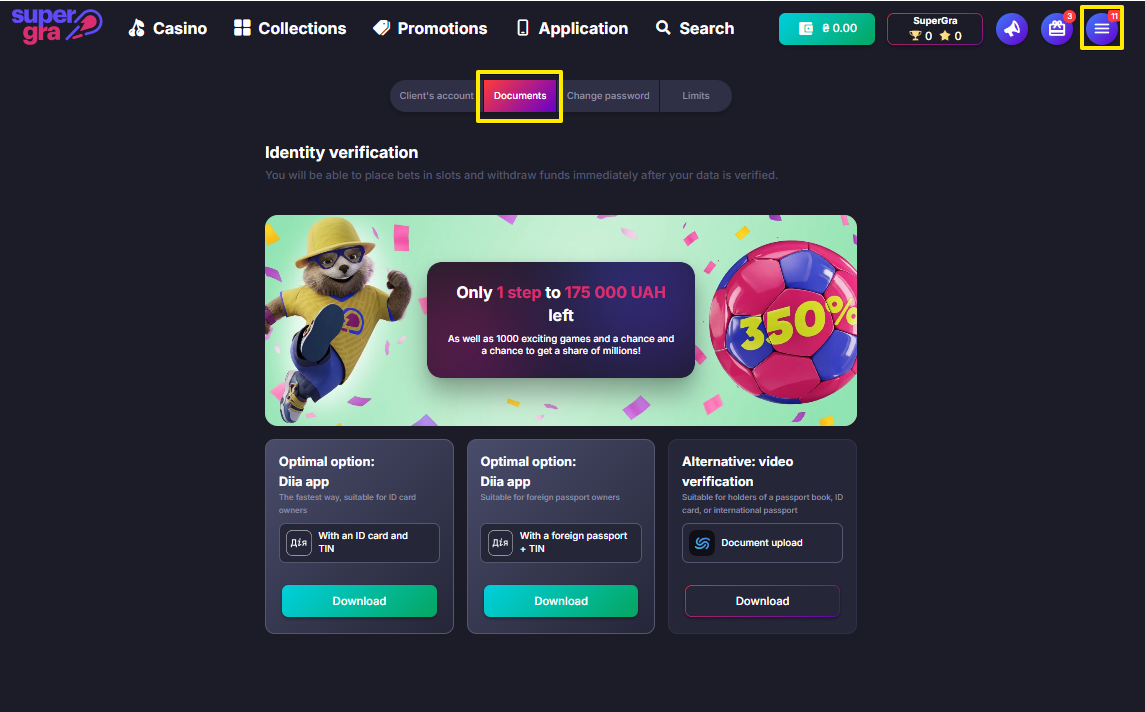
For Visa/Mastercard verification, please upload the required documents in the Documents section according to your card type.
Physical named card (the card displays the owner’s name)
• A photo of the front and back sides of the card, showing the first 4 and last 4 digits of the card number, as well as the owner's name and surname.
Virtual named card (the card displays the owner’s name)
A full-screen screenshot from your banking app showing:
• The masked card number (first 4 and last 4 digits);
• The owner's name and surname.
Unnamed card (the card does not display the owner's name)
• A bank statement containing the cardholder's full name and the first 4 and last 4 digits of the card number.
Please note that the CVV code must be hidden. Verification guidelines are available in the Cashbox section.
To verify the Google Pay/Apple Pay payment method, you need to provide the documents related to the card.
To do this, upload a receipt screenshot or a bank statement that displays the owner's full name, card number, time, and amount of the transaction from this wallet at SuperGra to the Documents section.
A number that does not match your bank card number may appear in your client's account. This occurs when the game balance is topped up via Apple Pay or Google Pay.
In such cases, the system transfers the virtual wallet number used by the payment service to conduct the transaction to the client's account. That is why the number displayed may differ from your card number.
The virtual wallet is also subject to verification.
For detailed information on Apple Pay and Google Pay verification, please refer to the section "How to verify Google Pay/Apple Pay?".
To verify the online banking payment method, upload the bank statement showing your full name and account number (starting with UA) to the Documents section.
The bank statement contains data (full name and card number) that confirm your possession of a non-personalized bank card.
Therefore, using this statement, you can verify your payment card, as well as Google Pay and Apple Pay payment methods.

To generate a statement from monobank, make sure that you've updated the app to the latest version and follow the steps below.
For the new design:
For the old design:
You can upload the received document to the Documents section for payment card verification.
Please note that the described steps may differ from the current system settings. We recommend that you check the details directly with the bank.
To receive a statement from Kredobank, follow these steps.
1. Go to the KredoBank app main page.
2. Tap on the desired card.
3. Swipe left, the "Generate statement" button will appear there.
4. Tap on the "Generate statement" button, download it on your device or make a screenshot.
You can upload this document in the Documents section for payment card verification.
Please note that the described steps may differ from the current system settings. We recommend confirming the details directly with the bank.

To generate a statement from UKRSIBBANK, follow these steps.
You can upload this document in the Documents section for payment card verification.
Please note that the described steps may differ from the current system settings. We recommend confirming the details directly with the bank.

To generate a statement from PrivatBank, follow these steps:
Add this statement and receipt to the Documents section in PDF format or as a screenshot to verify your payment card.
Please note that the described steps may differ from the current system settings. We recommend confirming the details directly with the bank.
To generate a detailed account statement at Bank Lviv, follow these steps.
1. Go to the detailed account information view.
2. Click the "Statement" button (or "Card Account Statement" button for card accounts).
3. On the "Account Statements" form, select the required account number from the dropdown list.
4. Specify the statement period and parameters.
5. Click the "Get statement" button.
You can upload this statement in the Documents section for payment card verification.
Please note that the described steps may differ from the current system settings. We recommend confirming the details directly with the bank.
To generate a statement from PUMB, follow these steps.
1. Log in to the mobile app PUMB UA Mobile Bank.
2. Select the desired debit card.
3. Click on the "i" icon, and then select "Generate Statement".
4. Specify the period for which you need a statement.
5. Save or send the statement in a way convenient for you.
You can upload this document in the Documents section for payment card verification.
Please note that the described steps may differ from the current system settings. We recommend confirming the details directly with the bank.
To generate a statement for a card account in Sense Bank, follow these steps.
1. Log in to the Sense SuperApp: mobile bank.
2. Go to the "Products" section.
3. Select the "Certificates" section and click "Issue a Certificate".
4. Select the "Account Statement" option.
5. Select the statement period, language, and format.
6. Click "Generate" to receive the statement.
You can upload this document in the Documents section for payment card verification.
Please note that the described steps may differ from the current system settings. We recommend confirming the details directly with the bank.
To generate a statement in A-Bank, check the version of the bank app installed on your device and follow these steps:
For the old design:
• log in to the àbank24 app.
• go to the "All Services" tab.
• from the long list on the left, select "Services", then "Create Certificate".
• choose the "Account Certificate" option.
For the new design:
• log in to the àbank24 app.
• go to the "Other" tab.
• from the long list on the right, select "Certificates and Statements", then "Statement for Card or Account".
• choose the required card.
You can upload the received document in the Documents section for payment card verification.
Please note that the described steps may differ from the current system settings. We recommend confirming the details directly with the bank.
To order an account statement in OTP Bank, follow these steps.
1. Go to the official website of OTP Bank.
2. Select the "Private Clients" section.
3. Go to the "Online Service" section.
4. Select the option "Order a Statement by Email".
5. Receive the statement to the specified email address.
You can upload this document in the Documents section for payment card verification.
Please note that the described steps may differ from the current system settings. We recommend confirming the details directly with the bank.
To generate a transaction receipt, click on the transaction. The screen will display the date, transaction status, transfer direction, amount, and the card number used for the transfer. To create and download the receipt, click the "Download receipt" button.
You can upload the received document in the Documents section for payment card verification.
Please note that the described steps may differ from the current system settings. We recommend confirming the details directly with the bank.
You can order and receive statements from TASKOMBANK only at a bank branch. To do this, please contact the nearest branch with an identity document.
You can upload the received document in the Documents section for payment card verification.
To get a statement from Raiffeisen Bank, follow these steps.
1. Log in to Raiffeisen Online Ukraine mobile app.
2. Select the "Accounts" section and the desired account.
3. Go to the "Statement" tab.
4. Select the "All Transactions" option.
5. Specify the required date range and filter settings (if necessary).
6. Click "Apply", after which the statement can be shared or sent to a messenger convenient for you.
You can upload the received document in the Documents section for payment card verification.
Please note that the described steps may differ from the current system settings. We recommend confirming the details directly with the bank.
To order a card statement from izibank, use one of the following methods.
1. Through the izibank mobile app, following the steps below:
• log in to the app.
• go to the card settings;
• select the "Order a Statement" option.
2. You can also contact the izibank support service to receive a statement.
Upload the received document in the Documents section for payment card verification.
Please note that the described steps may differ from the current system settings. We recommend confirming the details directly with the bank.
To receive a statement from Pivdenny Bank, follow these steps.
1. Log in to the Pivdenny Online mobile bank app.
2. Go to the page with detailed information about the card.
3. Click on the "Statement" option.
4. Specify the period and select the type of transactions: "debit", "credit", or "both".
5. Select the method of receiving the statement by selecting the "Phone" or "Email" checkboxes.
6. If you want to receive the statement by email, enter the appropriate address.
7. Click "Send".
8. If the operation is successful, a confirmation message will appear on the screen and the statement file in PDF format will be sent to the specified email address.
Upload the received document in the Documents section for payment card verification.
Please note that the described steps may differ from the current system settings. We recommend confirming the details directly with the bank.
To get a statement from Ukrgasbank, follow these steps.
1. Log in to the Ecobank Online mobile app.
2. Select the required account.
3. Click on the "Functions" option and select "Statement".
4. Specify the period for which you need a statement.
5. Select "Send to Email".
6. The statement will be sent to the specified email in PDF format.
Upload the received document in the Documents section for payment card verification.
Please note that the described steps may differ from the current system settings. We recommend confirming the details directly with the bank.
Due to the specifics of the statement generation in Alliance Bank (where the first 4 digits of the card number are not displayed), a payment instruction is used for verification.
1. Log in to the Alliance mobile application.
2. Go to the transaction history.
3. Find the top-up transaction to our online casino and tap on it.
4. At the bottom, select the option "Receipt" or "Generate Instruction".
5. Generate a payment instruction that includes the following information:
• your full name (first and last name),
• the first and last 4 digits of your card number.
Upload the generated document in the Documents section to verify your card.
Please note that the steps described above may differ slightly depending on the current system settings. We recommend checking the details directly with the bank.
You can top up your game balance using online banking and Mastercard payment methods.
1. Go to the Cashbox section.
2. Choose a payment method convenient for you.
3. Enter the top up amount and press the "Continue" button.
4. Enter the payment details and press the "Confirm" button.
Please note: there's a 1% commission when topping up via PrivatBank card.
If you want to top up your game balance to get the bonus, don't forget to activate it first.
1. Go to the Withdraw section.
2. Select a payment method.
3. Enter the card number, card expiration date and withdrawal amount.
4. Press the "Withdraw" button.
Most withdrawal requests are processed within 5 hours. You can cancel your request at any time in the Transaction history section.
1. Wager the top-up amount (before withdrawing your winnings, you should turn over your top-up amount once). You can check the wagering status in the Withdraw section.
2. Confirm your phone number and email in your client's account.
3. Make sure that the card you've selected for the payout is verified.
4. Wager the bonus if it was activated, or cancel it.
5. Make sure that all payment data in the withdrawal request are correct.
A one-time top-up turnover is a condition that means that each top-up should be turned over once before the withdrawal of the winnings.
For example, if you deposited 100 UAH to your account, then you should wager 100 UAH.
Standard processing time: up to 36 hours.
But your request can be processed faster (for example, if you have verified all the data in the Documents section).
You can check the status of your request or cancel it in the Transaction history section.
All up-to-date information is available in the Transaction history section.
1. Go to the Transaction history section.
2. Find the required request in the list.
Together with SuperGra, you pay all necessary taxes and contribute to the development of the state. Our principled position is the same — to support the economy of Ukraine, so (according to the specified RNOKPP) 18% of personal income tax and 5% of military levy will be withheld and paid from your withdrawal amount.
Withholding this amount, SuperGra acts as your tax agent and pays your taxes to the budget in accordance with Paragraph 164.2 Article 164 and Paragraph 171.2 Article 172 of the Tax Code of Ukraine.
If necessary, we can provide all statements on tax payments to the bank as soon as possible. You can also order a statement of your transactions in your client's account on the "Transaction history" page.
After that, the tax amount will be returned to your game balance as bonus funds (with a wager of x25) within "Plus Offer" promotion — they are 23% of the amount of the withdrawal made.
You can use these funds in all our promotions, for example, complete missions and get rewards in the form of sets of free spins, thus getting real money with no wager.
You can request a transaction statement in your client's account on the "Transaction history" page. You need to select the required dates and the payment method for which you want to receive the transaction statement.
After filling in the required fields, the statement will be sent to the email address specified in your client's account.
At the moment, there are some banks that you may have problems with when making top-ups and withdrawing funds. The list of such banks is as follows:
If you encounter difficulties in the process of topping up the balance or withdrawing funds to the card of one of these banks, we recommend using the card of another bank.
Bonuses are awarded to registered users in the Bonuses section.
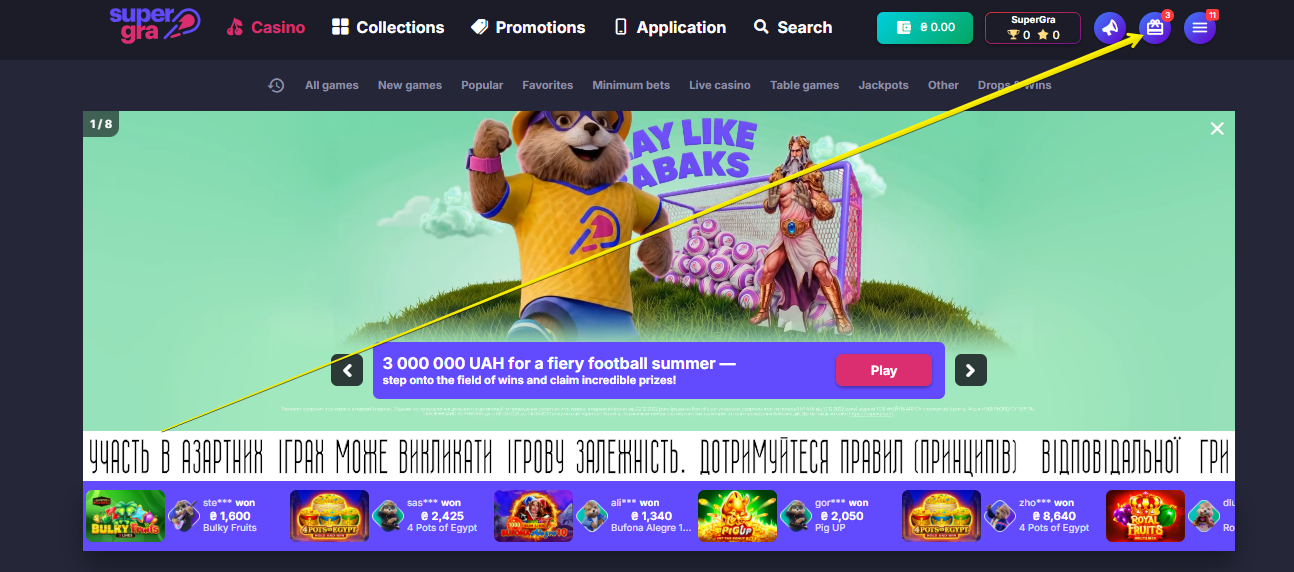
At SuperGra, you can get money on your balance, a percentage of your top-up amount and free spins.
Check out the bonuses available to you in the Bonuses section.
There are several ways to get bonuses.
1. Register on the site and receive a welcome bonus package.
2. Win promotions on the site.
3. Install the SuperGra app.
4. Connect the Telegram Bot.
5. Get a birthday bonus.
6. Invite a friend to SuperGra.
To use the bonus:
1. Go to the Bonuses section.
2. Press the "Activate" button on the selected bonus card.
3. Make a top-up in the amount specified in the bonus conditions.
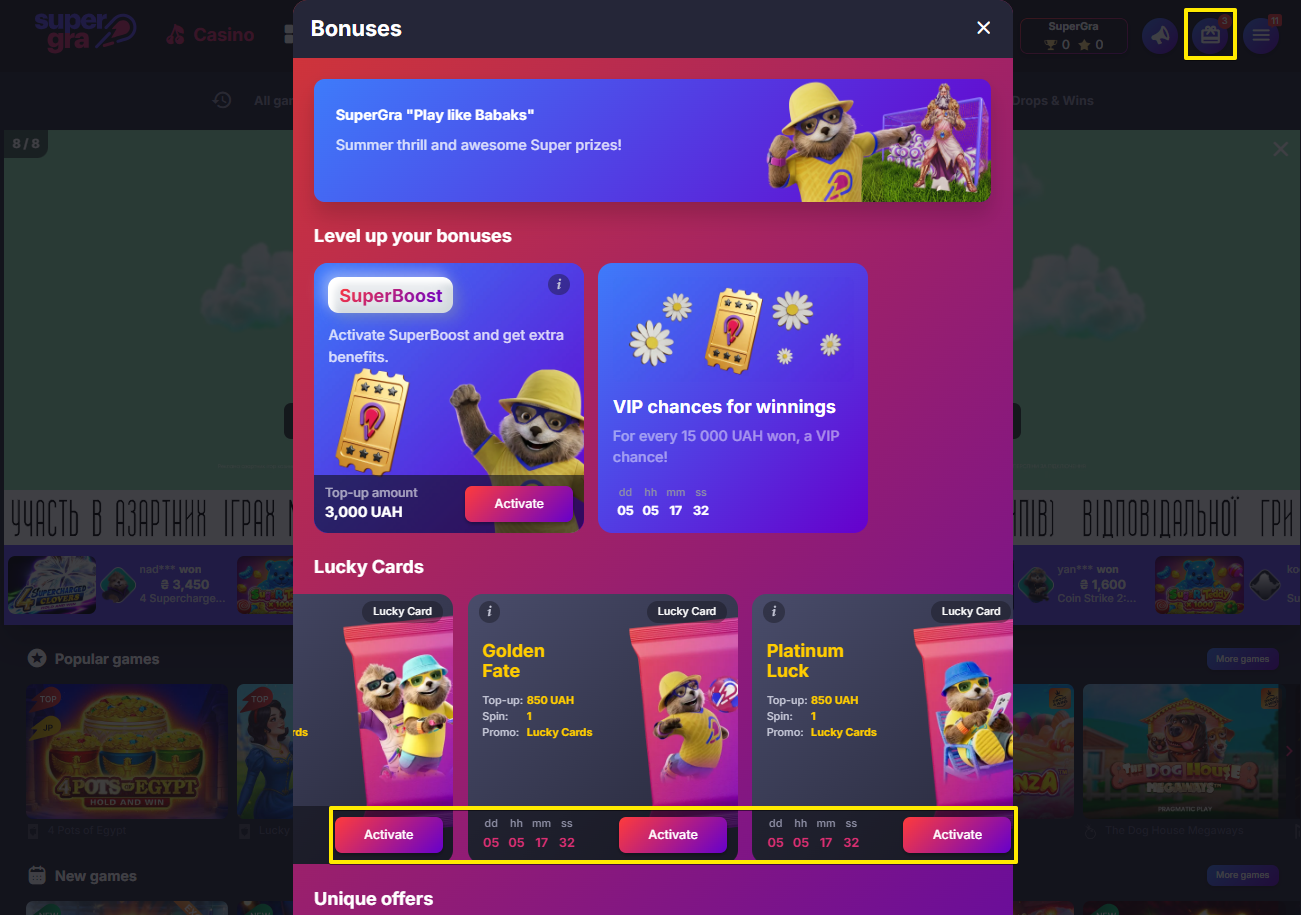
A wager is a coefficient that determines the amount of bets to meet the conditions of the bonus.
For example, you have been awarded free spins with a x35 wager. Having used them, you won 100 UAH. To withdraw your winnings, you should make bets in excess of 3 500 UAH (100x35).
The wager is specified in the description of the bonus.
A maximum bet is the maximum amount that you can bet to wager the bonus.
For example, it is necessary for you to wager a bonus with the maximum bet of 100 UAH. Bets in the amount of 100 UAH or lower are counted as wagering the bonus. If the bet exceeds 100 UAH, it will not be counted as wagering.
Please note that if you frequently exceed the maximum bet, you may encounter additional checks when withdrawing funds.
The bonus subscription is one of the additional prizes that can be won in the Daily and Weekly Draws. It includes 100 free spins that will be awarded in equal amounts (25 FS each) for 4 consecutive days. The first set of bonuses becomes available as soon as you fulfill the conditions for receiving the subscription.
To get the subscription, you need to:
1. Activate it in the Bonuses section.
2. Make a top-up for the specified amount.
3. Return to the "Bonuses" section and click on the "Claim" button to use the first set of free spins in the first game.
4. The next day, go to the "Bonuses" section and click on the "Claim" button to get the next set.
You will be able to exchange the second, third and fourth sets of free spins for their cash equivalent.
Important! To get all bonuses from the subscription, it is necessary to take the previous one, otherwise, the next one will not be credited. The validity of each individual set is 24 hours from the moment of crediting.
In honor of your birthday and for your activity at SuperGra, we're crediting you an individual holiday bonus with no wager.
If you received several bonuses, you can activate either of them or all at once. The bonus is valid for 7 days after your birthday.
To receive a holiday bonus, it is necessary to verify your identity, as well as make at least one top-up from 100 UAH before your birthday.
The bonus will be credited automatically if all condinitions are fulfilled. You can claim it in the Bonuses section.
If the data in your client's account matches the passport data, but you have not received the bonus, contact the online chat for help.
You can get a cash bonus for installing the SuperGra app.
1. Install the application by choosing a method convenient for you on the Application page.
2. Make a top-up starting from 100 UAH no later than 3 days after installation.
3. Log in to your client's account via the application.
4. Activate the bonus in the Bonuses section.
What bonus can you get?
- 60 UAH for a deposit from 100 UAH;
- 200 UAH for a deposit from 500 UAH;
- 500 UAH for a deposit from 4500 UAH.
*The bonus is available only when you first install the application.
**Official rules for the promotion can be found on the Bonus For the Application page.
Invite a friend to SuperGra and get 1 000 UAH with x25 wager and 1 Super chance* in the massive SuperGra.
1. Copy an invitation link in Telegram Bot or on the Invite friends page.
2. Send the link to a friend.
3. Wait for him to fulfill his conditions for receiving the bonuses (details are in the paragraph "How to get the bonuses for accepting an invitation from a friend?").
4. Activate them in the Bonuses.
* Super chance is given for each fifth friend, and funds are given for each one who meets the conditions.
** Do not forget to check the relevance of your email and phone number.
You can get 1 000 UAH with x25 wager and 1 Super chance in the massive SuperGra for accepting an invitation from a friend.
1. Follow the link you received and register for SuperGra.
2. Verify your identity.
3. Top up 500 UAH or more.
4. Confirm your email and phone number.
5. Activate the prizes in the Bonuses.
There are two types of draws at SuperGra: Daily Draw and Weekly Draw.
Those players, who have got at least one free chance, are eligible to participate in the draws. Each new chance increases the probability of your winning. The prize winners are determined by chance. You can win Super-prizes, free spins and SuperGra points in the draws, as well as additional money VIP prizes and VIP free spins.
To get a free chance, you need to make a certain top-up: 300 UAH for the Daily Draw, 1 000 UAH for the Weekly Draw and 10 000 UAH for the VIP Draw, which is held within the Weekly Draw. Chances are credited to all draws simultaneously. By topping up the balance for 1 000 UAH, you get 3 chances in the Daily Draw and 1 chance in the Weekly Draw. By topping up the balance for 10 000 UAH — 33 chances in the Daily Draw, 10 chances and 1 VIP chance in the Weekly Draw. Participation in the draws is free: the topped up funds remain fully available in the balance and can be used at the player’s discretion.
* You can also multiply your winnings by leveling up your game. You can read the conditions for leveling up here.
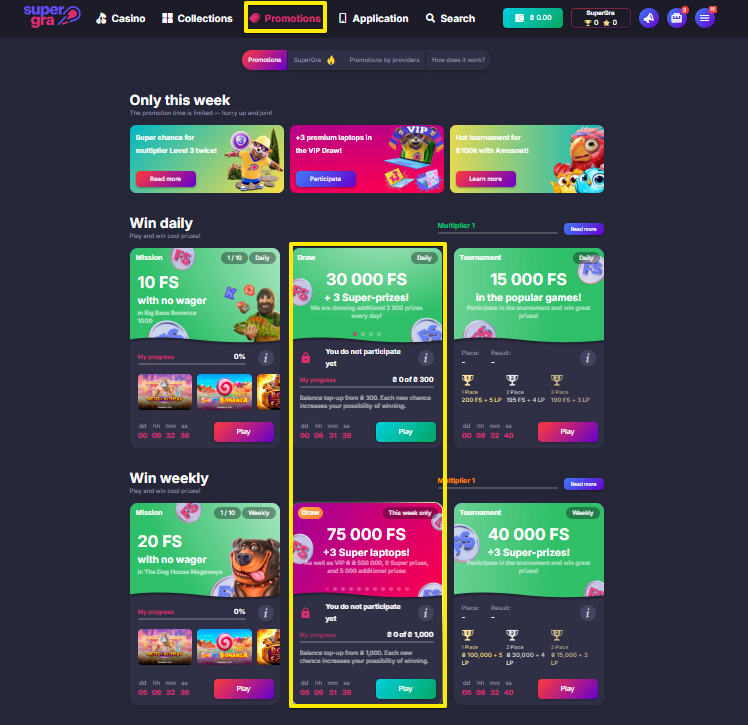
There are two types of tournaments at SuperGra: Daily Tournament and Weekly Tournament.
To take part, you should make bets in slots on the site.
Your place in the Daily Tournament standings is determined by the highest winning odds per day. Your place in the Weekly Tournament standings is determined by the sum of your winnings during the week.
In the Daily Tournament, you can win free spins and SuperGra points. In the Weekly Tournament, you can win a Super-prize, free spins and SuperGra points.
Please note that only the results acquired in slots count in your tournament rating. You can find the list of slots in the promotion descriptions.
You can multiply your winnings by leveling up your game. You can read the conditions for leveling up here.
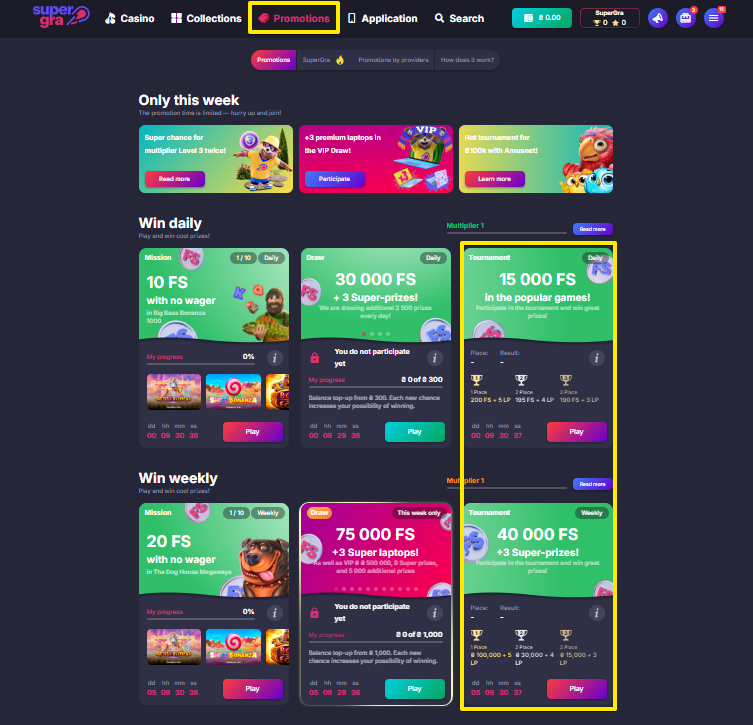
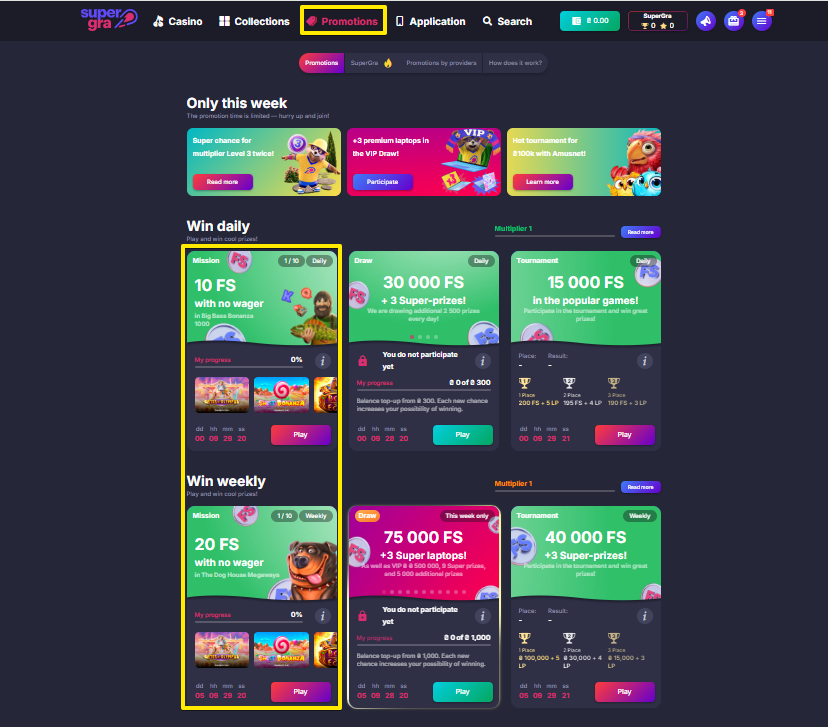
Missions in SuperGra are daily and weekly tasks related to the game.
For completed missions, you are awarded free spins in popular games.
Please note that only the results acquired in slots count in your mission progress. You can find the list of slots in the promotion descriptions.
You can multiply your winnings by leveling up. You can read the conditions for leveling up here.
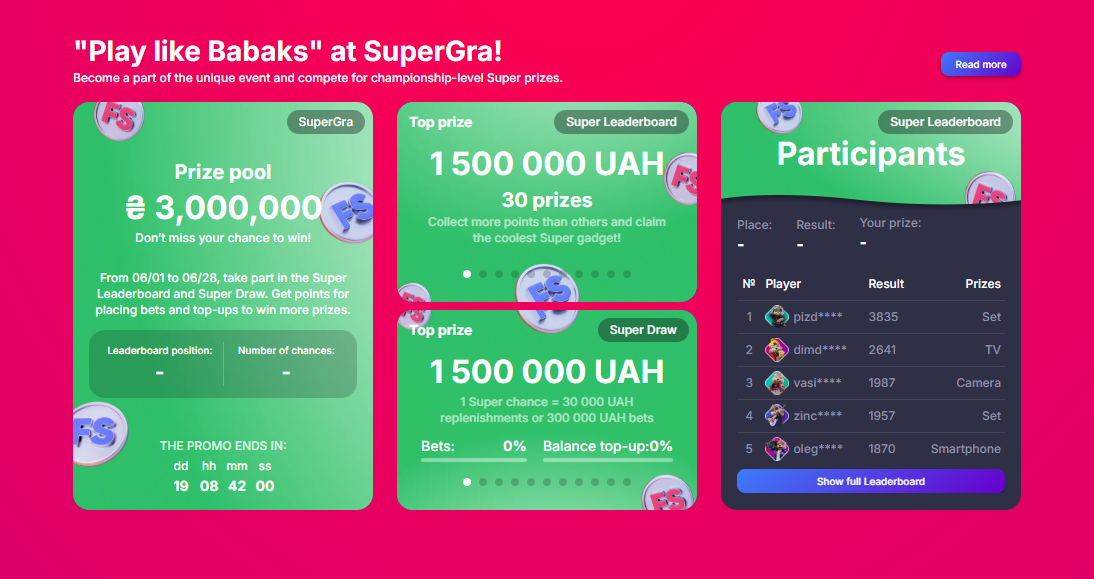
SuperGra is a large-scale promotion that lasts for 4 weeks and consists of two separate promotions — Super Leaderboard and Super Draw.
To participate in the Super Leaderboard, you need to collect points for every 5 000 UAH of bets in slots and wins in tournaments and draws.
To participate in the Super Draw, you need to get free Super chances for a total top-up of 30 000 UAH and for every 300 000 UAH of bets.
Each promotion offers 30 main Super prizes, as well as free spins with no wager. The winners of the Super Leaderboard are determined according to the rankings, and the winners of the Super Draw are selected randomly. In addition, all participants of the Super Leaderboard get a 10% bonus to their top up with no wager!
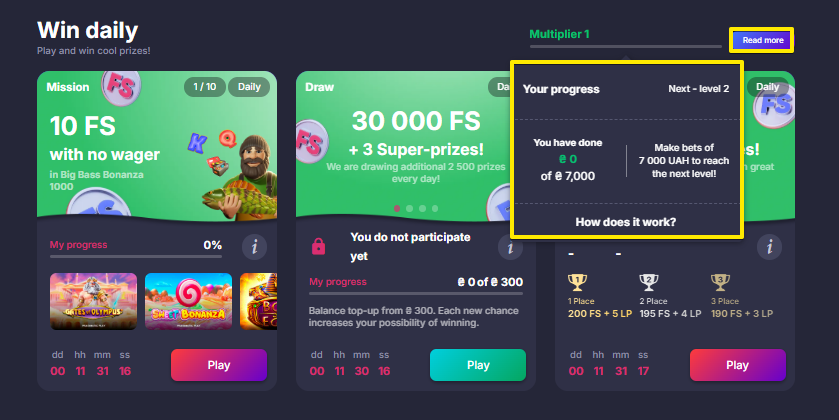
A multiplier is an indicator that determines the bet level of your won free spins.
There are 5 levels in total. Depending on your level, the bet for free spins will be from 1 to 5 UAH, respectively. For example, if you have reached level 2 and won 50 free spins, you will receive 50 free spins with a bet of 2 UAH.
The value of the prize free spins can be:
Level 1 — free spins with a bet of 1 UAH;
Level 2 — free spins with a bet of 2 UAH;
Level 3 — free spins with a bet of 3 UAH;
Level 4 — free spins with a bet of 4 UAH;
Level 5 — free spins with a bet of 5 UAH.
To move to the desired level in daily promotions, you should make the following bet amounts:
Level 1 — from 0 to 6999 UAH;
Level 2 — from 7 000 UAH to 14 999 UAH;
Level 3 — from 15 000 UAH to 34 999 UAH;
Level 4 — from 35 000 UAH to 69 999 UAH;
Level 5 — from 70 000 UAH.
To move to the desired level in weekly promotions, you should make the following bet amounts:
Level 1 — from 0 to 19 999 UAH;
Level 2 — from 20 000 to 49 999 UAH;
Level 3 — from 50 000 to 99 999 UAH;
Level 4 — from 100 000 to 199 999 UAH;
Level 5 — from 200 000 UAH.
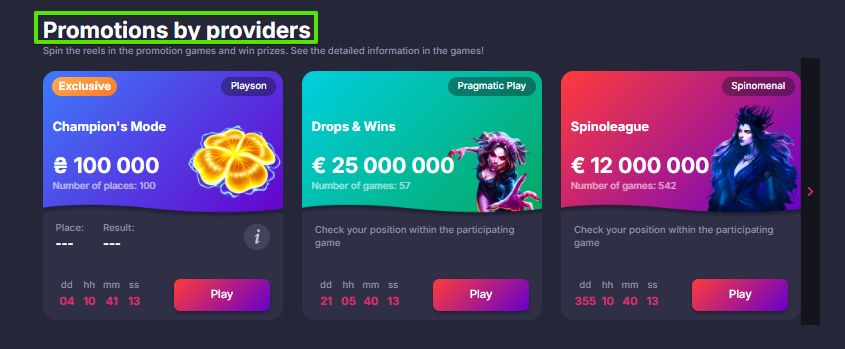
Network promotions are tournaments by popular providers, such as Playson, 3 Oaks Gaming, Pragmatic Play and others. The list of active tournaments can be found on the Promotions by providers page.
You can compete for cash rewards (from the total prize pool) for winning the chain promotion by placing bets in participating games. You can read the participation conditions in each promotion directly in the game descriptions or on the Promotions Rules page.
SuperGra has classic slots, table games (baccarat, blackjack, poker, roulette, etc.), live slots, and others.
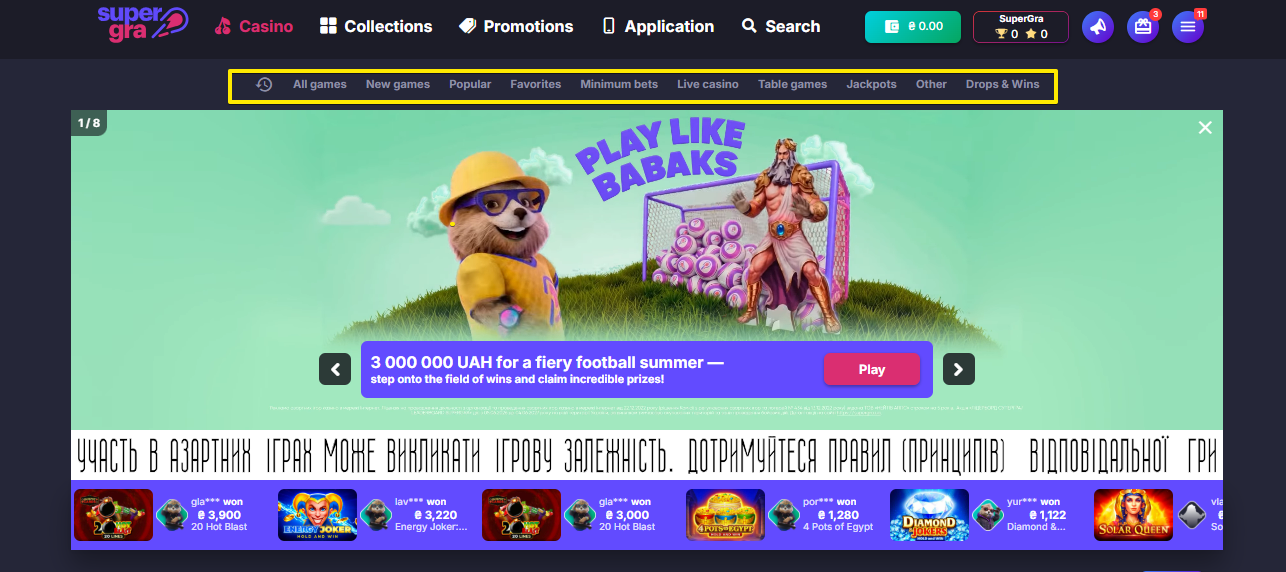
Check out the full list on the home page of the site in the corresponding categories.
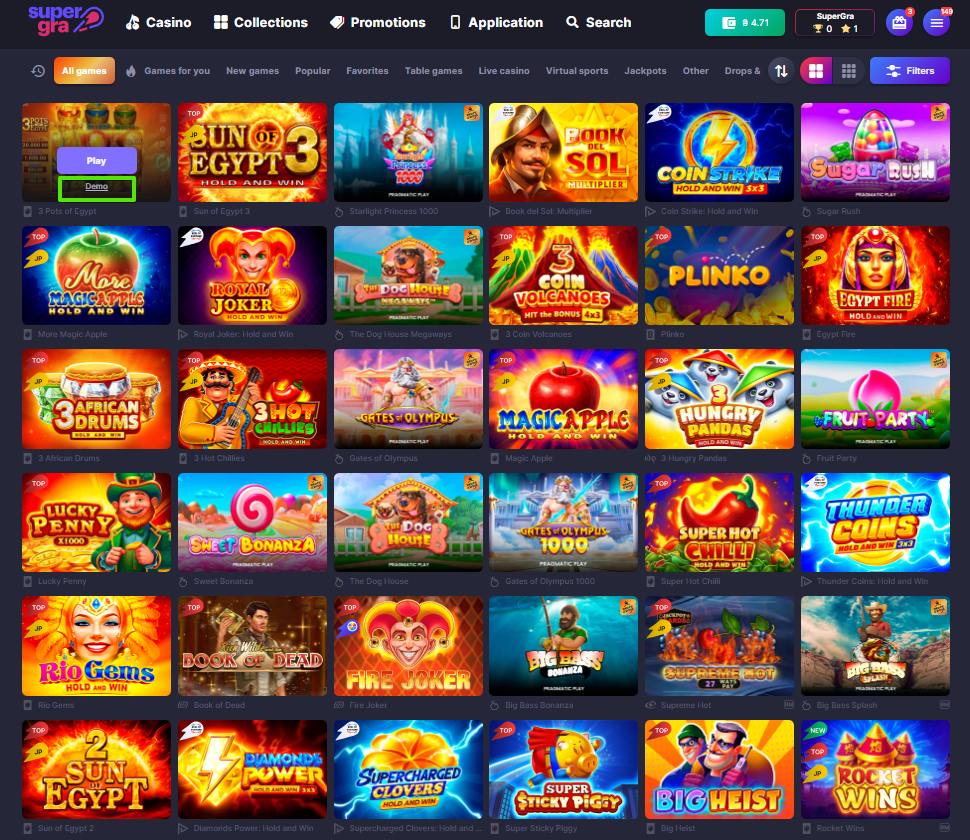
Many of the games on the site have the "Demo" mode.
You can select any of them and understand how the slots work before making a top-up and playing for real money.
Demo mode is not available in the "Live Casino" category.
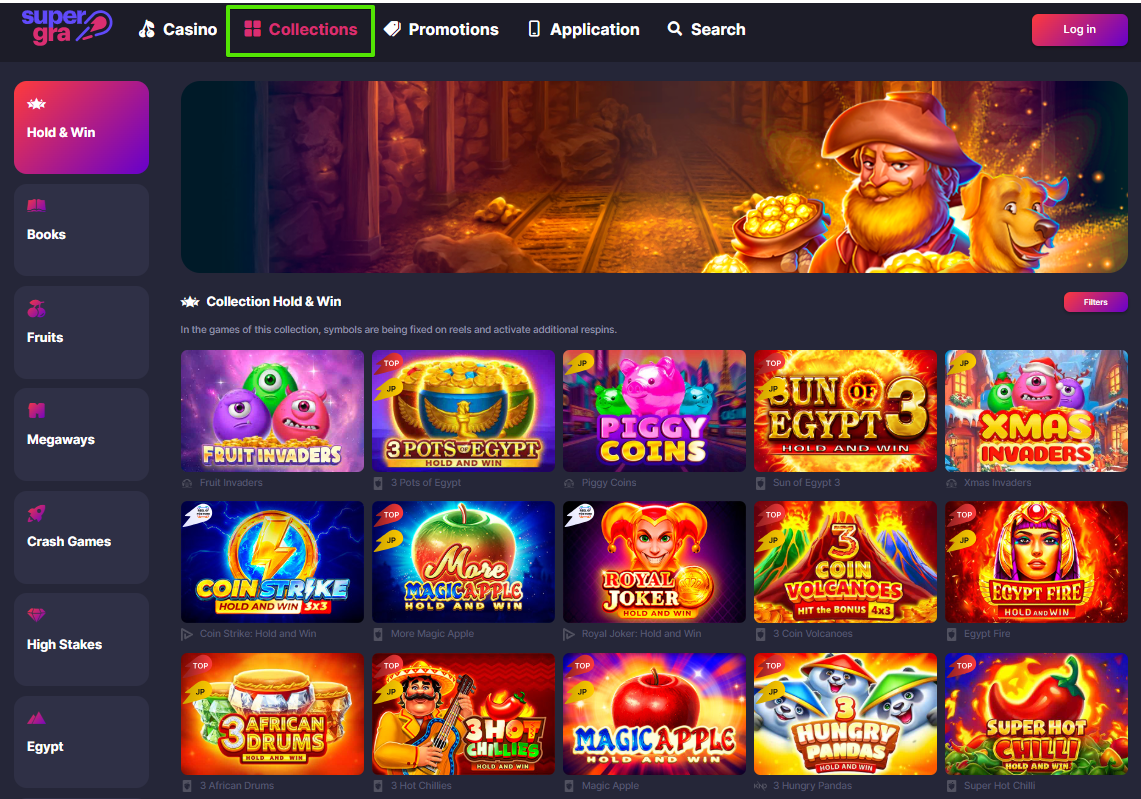
Collections at SuperGra contain a list of slots with the same theme.
The following collections are available to you: "Hold & Win", "Books", "Fruits", "Megaways", "Crash Games", "High Stakes", "Egypt", "Buy Bonus", "High Volatility", "Low Volatility", "Clusters".
These are the features of slots that increase your chances of winning.
Megaways are slots with a large number of paylines (from 6 lines).
Hold & Win are slots with bonus spins that can increase your winnings.
High Stakes are slots with big bets and, accordingly, with big winnings.
Buy Bonus are slots with the ability to buy an additional bonus (spins, rounds, etc.).
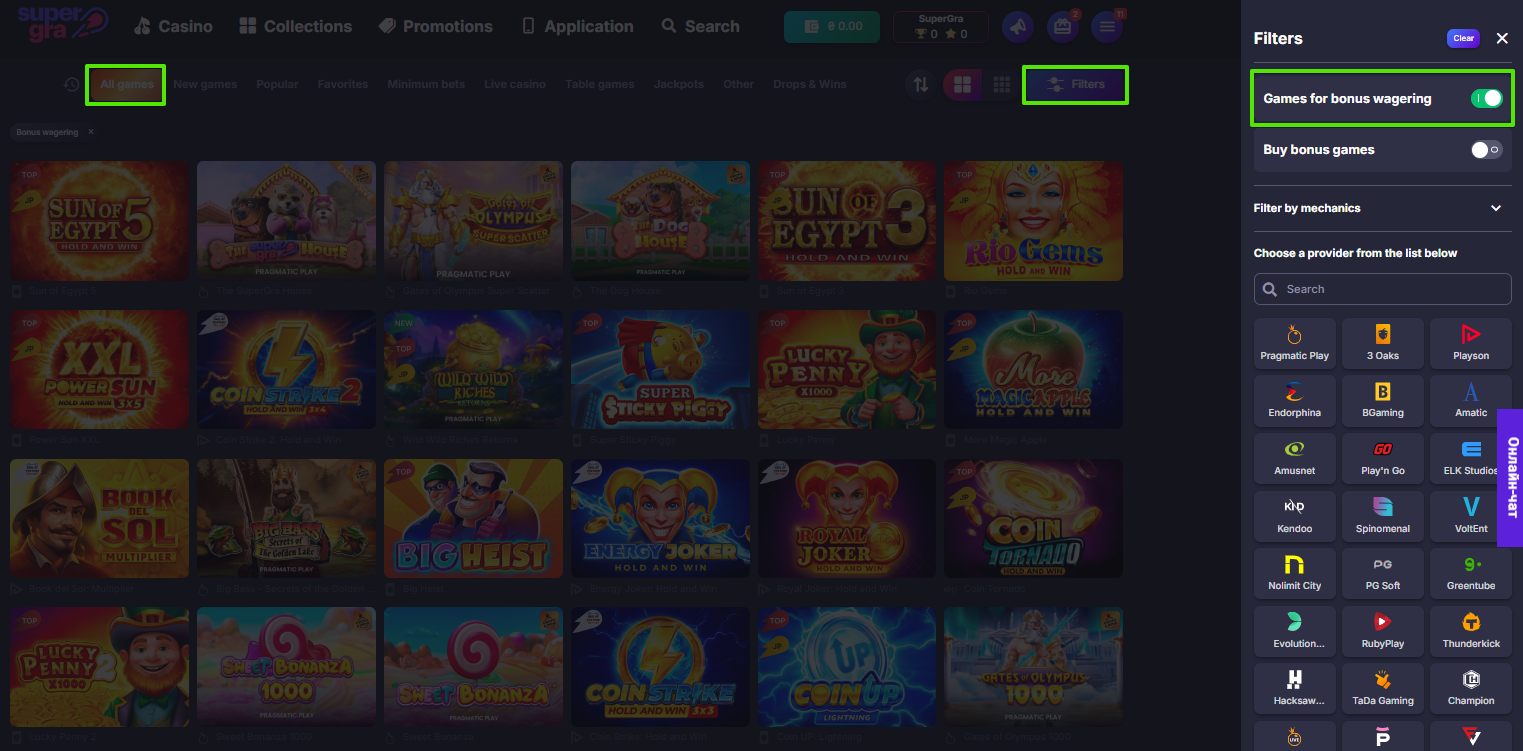
For your convenience, SuperGra has a special filter that allows you to choose only games for bonus wagering.
How to enable the filter?
1. Open the "All games" category.
2. Click the "Filters" button in the top right corner.
3. Enable the "Games for bonus wagering" filter.
Return to Player (RTP) is a percentage of the probability of return of funds to the player from the slot at the end of their gaming session. It is calculated as the ratio of the sum of winnings to the sum of bets. This indicator is set directly by the providers to each of the games, and not on the casino side.
The closer the RTP value is to 100%, the better it is for the player. For example, if the RTP of an online slot is 96%, then the slot can return funds in the sum of 96 UAH from every bet of 100 UAH. However, the RTP is calculated based on several thousand bets of different players who played the same slot at the same time, so the slot does not guarantee a return of funds to each individual player.
Our SuperGra online casino offers games with an average RTP of 94% and above.
License to organize and conduct activities related to gambling on the Internet issued to NATIVE APPS LLC on 22.12.2022, for a period of 5 years (decision of the Commission for Regulation of Gambling and Lotteries No. 434 dated December 13, 2022).
If you want to take a break from the game, you can use the temporary self-suspension function. This is a function of self-suspension from the game for 7 days.
For self-restriction, you can follow the link from the last paragraph in the "Principles of Responsible Gambling" section on the Responsible Gaming page, or contact the support service by online chat or by email [email protected]. You can also call the following phone numbers (calls are free from any phone number in Ukraine): 093 772 32 77, 099 772 32 77, 097 772 32 77, and 0 800 300 583.
If you have experienced issues related to responsible gambling principles, you can suspend yourself from the game for a longer period (from 6 months to 3 years) by submitting a self-restriction request to the PlayCity State Agency.
An example of the application can be downloaded at the link. Please note that self-restriction through this method is a prohibition on participating in gambling not only at SuperGra, but also on other Gambling Organizers' platforms.
Remember that gambling is entertainment, not a source of additional income. Control your expenses and play responsibly.
* * We ask you to act responsibly by deciding to self-suspend from the game, having read all the Rules of the Gambling Organizer on our website in advance.
We update the FAQ section promptly, but in the event of temporary inconsistencies with the main rules, the "Rules of the Gambling Organizer" section remains the priority.